Compress Lottie JSON Files Online
Choose a file to analyze its size, safely remove unused or duplicate assets, compare playback, and download a verified result. Files used in other tools are never compressed automatically.
Drop a Lottie JSON file here
Accepts .json up to 20 MB. Processing stays in your browser.
Compress in four steps
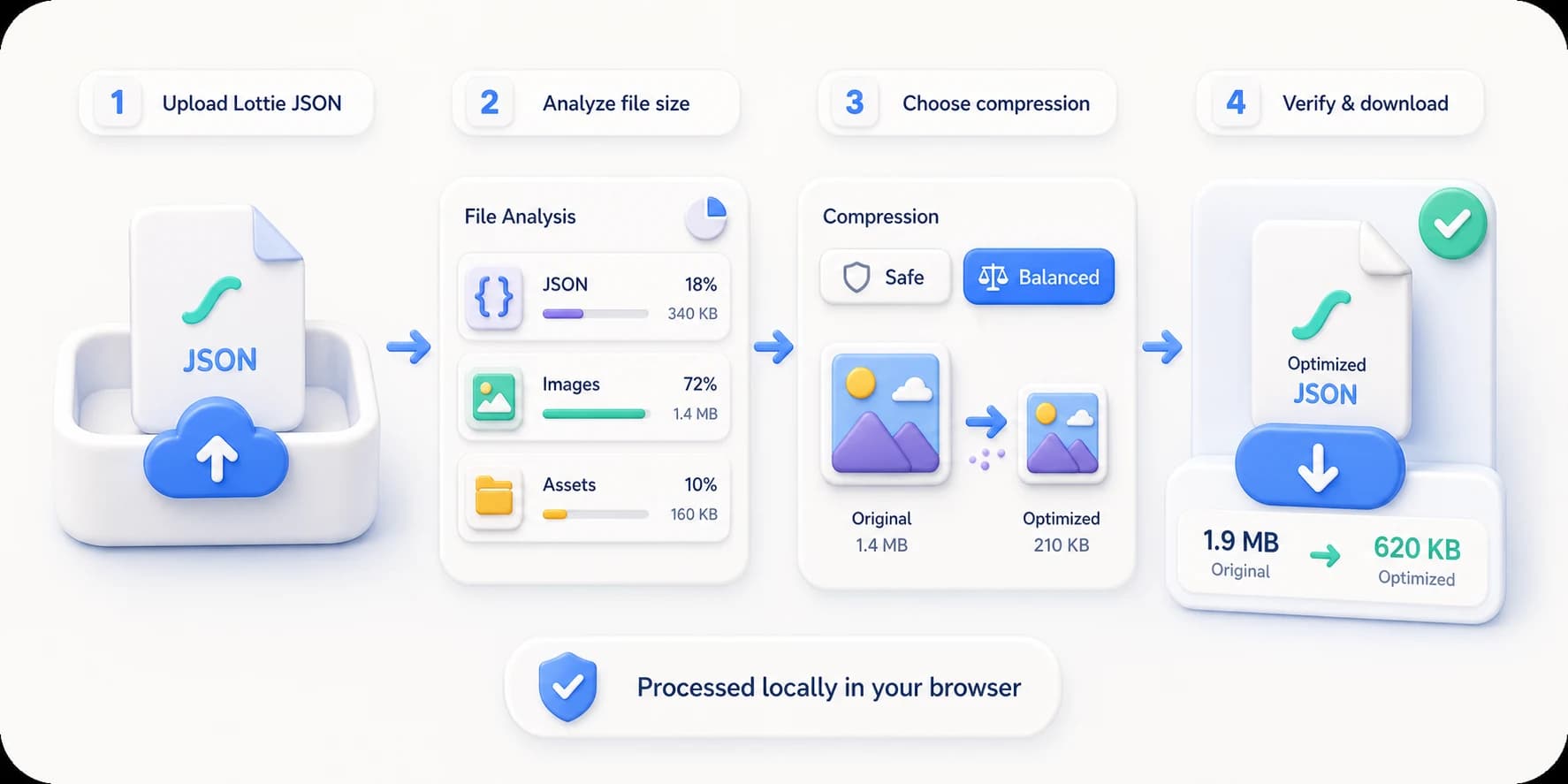
See what takes space, then choose the right compression level
Safe mode cleans JSON and duplicate assets first. Balanced mode also optimizes embedded images. Results are verified locally while your original stays untouched.
What to do before and after compressing
Lottie to GIF converter
Export the compressed animation as a GIF for email, READMEs and chat.
Lottie viewer
Play the original and the compressed result side by side before shipping.
Lottie color changer
Settle the palette first — compression belongs at the end.
Replace images in Lottie
Swapping a heavy embedded bitmap often beats compressing it.
Lottie compression FAQ
How much smaller can a Lottie file become?
It depends on what is inside. An already-minified vector-only JSON may barely change, while formatted JSON or animations with large embedded images can shrink substantially. The tool analyzes the file first and reports the measured result.
What is the difference between Safe and Balanced compression?
Safe minifies JSON and removes only assets proven unused or byte-identical. Balanced also re-encodes embedded PNG, JPEG, or WebP images at 82% quality and keeps the new image only when it is smaller.
Can compression break my Lottie animation?
Every result is checked for required composition fields and asset references, then rendered again with the Lottie player before download. Your original is never overwritten and remains available.
Is my Lottie file uploaded?
No. Analysis, image re-encoding, preview, validation, and export all run in your current browser.
Why is my Lottie file so large?
Almost always one of three causes. Embedded bitmaps: a PNG grows by roughly a third when base64-encoded, and a few of them can account for over ninety per cent of the file. Formatting: pretty-printed JSON and excessive numeric precision. Or complexity: effects, masks and expressions multiplying keyframes. Upload the file and read the analysis before deciding — it shows where the bytes actually went, which tells you whether to compress or go back to the source file.
What is a reasonable size for a Lottie animation?
There is no universal number and it depends on the job. UI icons and loaders usually land under a few tens of kilobytes; illustrated animations with embedded images can reasonably run into the hundreds. The real test is how long it takes to load on your target network and whether it blocks first paint, not an absolute figure.
Can I compress a .lottie file or a ZIP package?
This tool works on the Lottie JSON. For a .lottie or ZIP, extract the JSON and compress that. Note that an image-sequence Lottie produced by video conversion carries its weight in the image frames, so the way to shrink it is a smaller output size and frame rate at conversion time, not JSON compression afterwards.
Should I compress before or after recolouring or replacing images?
After. Lock the content down with the Color Changer or Image Replace first, then compress, otherwise each edit can write optimized assets back at full weight. Treat compression as the last step before you ship.
What if compression barely changes anything?
Then the file had little to reclaim. A vector-only, already-minified JSON may drop only a few per cent, and that is a correct result rather than a broken tool. At that point the size has to come out of the source: simplify paths, cut layers and keyframes, drop masks and expressions, or re-export at fewer frames.