Edit Lottie without After Effects
After Effects costs $22.99/month and takes weeks to learn. EasyLottie does the same 80% of common Lottie edits in your browser, for free, in seconds.
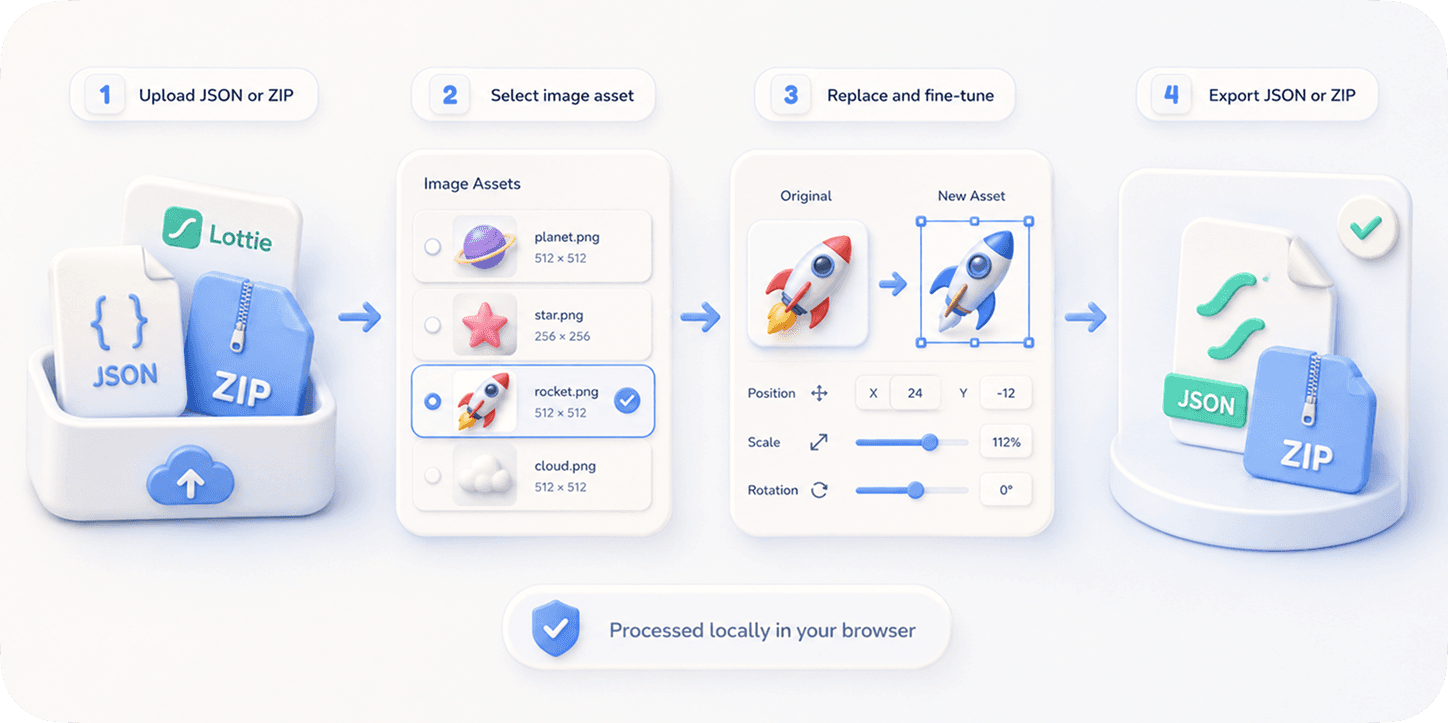
The problem
After Effects is the industry standard for creating Lottie animations — but for editing them after delivery, it's wildly overkill. You pay $22.99/month, install a 4 GB application, learn an unfamiliar interface, and locate the original .aep source file. All to change one color or swap one image.
Most designers and developers don't want to author Lottie animations. They want to take an existing Lottie file and adjust it: change a hex color to match the brand, replace a placeholder logo, slow the speed, swap dark-mode assets. None of those tasks justifies a $300/year subscription.
And the alternatives are worse: editing the raw JSON by hand is fragile, asking the original designer to re-export takes days, and most online Lottie tools are either paywalled, watermark the output, or upload your file to a server.
The browser workflow
EasyLottie is a browser-only Lottie editor that handles the four most common post-delivery edits: color change, image replacement, speed adjustment, and previewing. Everything runs locally — your file is never uploaded.
It's built for the 80% case: you have a Lottie file, you want to tweak it, you want it done in under a minute. No timeline, no keyframes, no layers panel — just the controls that matter for editing.
The complete toolkit is free with no signup. Use it on a phone, a Chromebook, a corporate laptop without admin rights — anywhere a modern browser runs.
Complete the task
Open easylottie.com
Loads in under a second. No account, no install.
Pick the editor you need
Image Replace for assets, Color Swap for palette changes, Preview for inspection and speed tweaks.
Drop your Lottie file in
JSON, ZIP, or APK. The preview renders instantly, the editable layers list populates automatically.
Make your edit
Change a color, swap an image, adjust speed. Every change shows in the live preview.
Export
Download the new file. It works in lottie-web, lottie-ios, lottie-android, Webflow, Framer, anywhere Lottie plays.
Common use cases
Brand handoff
You received a Lottie from a freelancer in their brand colors. Swap to yours in 30 seconds.
Dark mode adaptation
Your Lottie was authored for light mode. Recolor every layer for dark theme support.
Marketing variants
Need 5 variants of the same animation for a campaign? Edit each in the browser, no AE seat needed.
Frequently asked questions
Is EasyLottie a full After Effects replacement?
No. AE is for authoring Lottie animations from scratch. EasyLottie is for editing existing ones. Different jobs.
Do I need to install anything?
No. It runs entirely in the browser. There is no desktop app, no extension.
Will my file be uploaded to your servers?
Never. EasyLottie is a static site — every operation happens on your machine. We never see your file.
What file formats does it support?
Lottie .json, .zip (Lottie + embedded images), and .apk (Android animation packages).
Is it really free, or is there a paid tier?
Completely free. No premium, no watermark, no usage cap.