Replace Images in Lottie Animations Online
Upload a Lottie JSON or ZIP, replace embedded image assets, fine-tune position and scale, then export a production-ready JSON or ZIP. All processing runs locally in your browser.
Waiting for upload
Upload a ZIP or JSON file to start replacing images
Parsing file...
🎨 AI图片重绘
Original preview
AI重绘预览
AI redraw in progress...
预计耗时: 10-15秒
Image Replace needs a Lottie with embedded images. No images in your file?
Replace image assets in four focused steps
The workflow starts with your Lottie file, surfaces every image asset, lets you replace and fine-tune the selected layer, then exports a clean JSON or ZIP package.
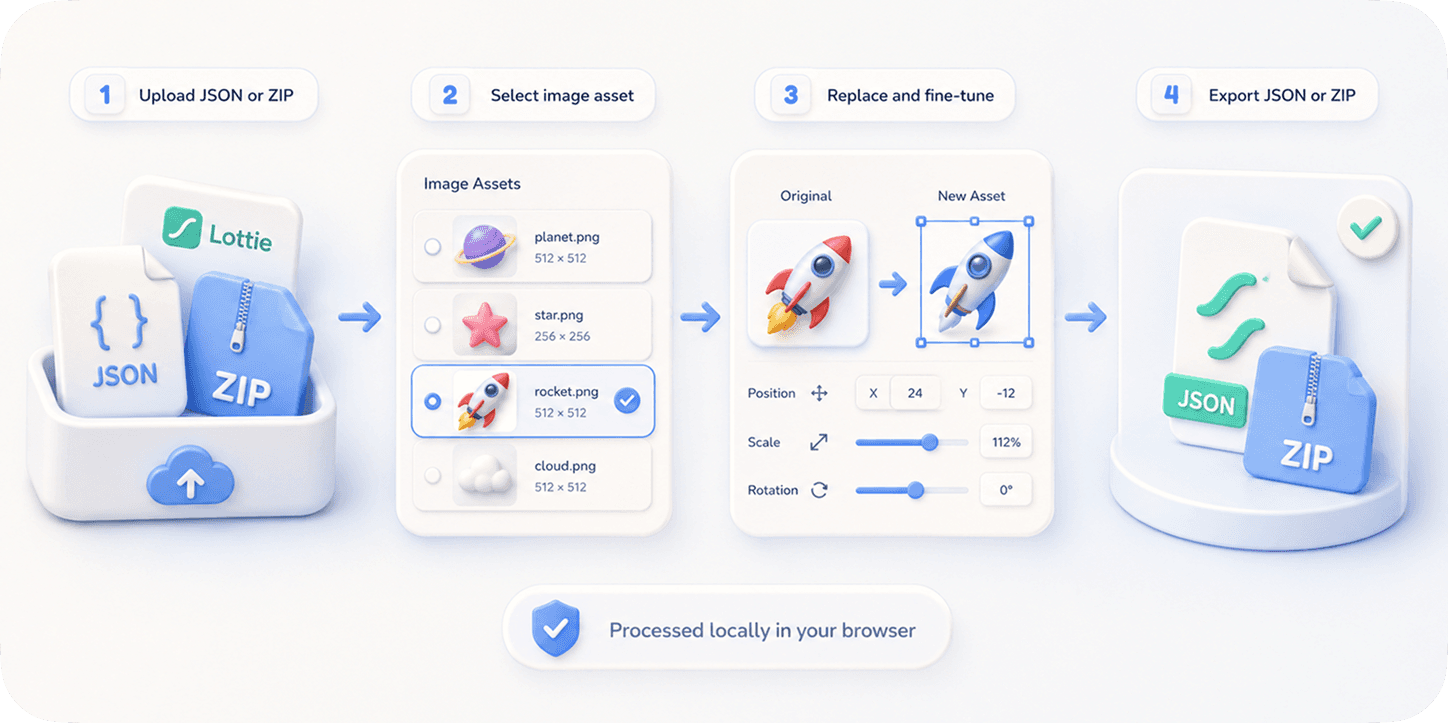
How it works
- 1
Upload your Lottie JSON or ZIP
Drop a Lottie file into the editor. ZIP image assets are resolved automatically.
- 2
Select an image asset
Pick an embedded image from the resource list or the live preview.
- 3
Replace, crop, scale, or reposition
Upload a PNG, JPG, JPEG, or WebP replacement and fine-tune fit, position, and scale.
- 4
Preview the animation
Play the edited Lottie locally before you export.
- 5
Export JSON or ZIP
Download a production-ready JSON or ZIP package with the updated assets.
Why use this tool
Use Image Replace when the motion is already right, but screenshots, logos, product images, avatars, or localized visuals need to change.
Replace product screenshots inside app onboarding animations
Localize marketing or tutorial animations for different regions
Update banners, logos, icons, avatars, or character assets
Refresh marketplace Lottie files without opening After Effects
Keep timing and motion intact while swapping visual content
Frequently asked questions
Can I replace images in a Lottie JSON file?
Yes. If the Lottie JSON contains embedded or referenced image assets, EasyLottie detects them and lets you replace them in the browser.
Do I need After Effects?
No. The whole workflow runs online in your browser and does not require After Effects, plugins, or the original project file.
Are my files uploaded?
No. Your Lottie file and replacement images are processed locally in your browser.
Should I export JSON or ZIP?
Export JSON for simple embedded-image files. Export ZIP when the animation references external image assets or when you want a complete package.
Does it keep image positioning?
Yes. The tool keeps the original animation structure and gives you fit, scale, and offset controls for precise placement.
What file types are supported?
The tool accepts Lottie JSON and ZIP inputs, and common replacement images such as PNG, JPG, JPEG, and WebP.