How to change Lottie colors without After Effects
A practical walkthrough: change any color in a Lottie animation in seconds, directly in your browser. No After Effects, no JSON editing, no signup.
The problem
If you've never edited a Lottie before, changing a color sounds harder than it is. The web is full of advice that points you straight to After Effects, the Bodymovin plugin, and a re-export pipeline — a lot of setup for someone who just wants the loading spinner to match their brand blue.
The do-it-yourself alternative — opening the .json and editing color arrays by hand — is genuinely fragile. Lottie stores colors as normalized [r, g, b, a] arrays scattered across nested layer objects, and one mistyped value or a comma in the wrong place silently breaks the animation.
Then there's the question of which color is which. A single animation can contain dozens of fills and strokes, and matching the hex you see on screen to the right entry in the JSON, without a tool, is slow and error-prone.
The browser workflow
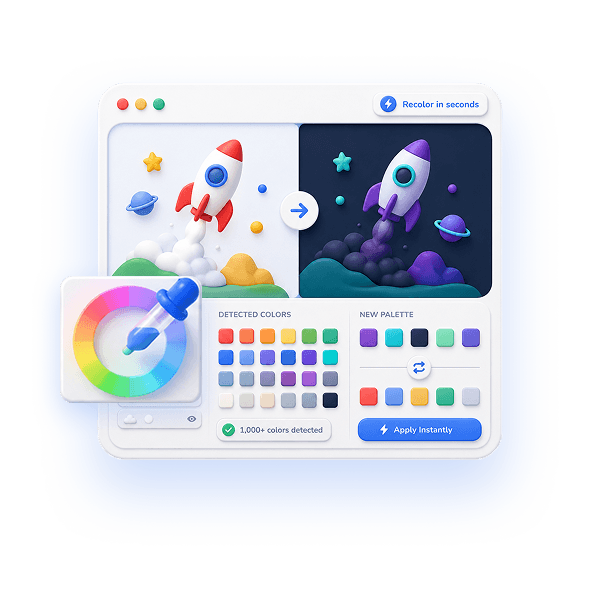
The fastest reliable way to change Lottie colors is to skip both After Effects and hand-editing. EasyLottie Color Swap reads your file in the browser and lists every color it finds — typically 1000+ in a busy animation — as a visual palette you can click.
You change a color the obvious way: click the swatch, pick a new one, watch the preview repaint. There's no math, no array editing, and no risk of corrupting the JSON, because the tool rewrites the file correctly for you. A 20-step undo means mistakes are cheap.
When it looks right, one click exports a working Lottie — JSON or ZIP, with image assets preserved — that plays unchanged in lottie-web, lottie-ios, lottie-android, Webflow, and Framer. The whole tutorial below takes about as long to do as it does to read, and it's 100% free with nothing uploaded.
Complete the task
Open the color tool
Go to easylottie.com/colorswap. No After Effects, no install, no account — the editor is live as soon as the page loads.
Upload your Lottie file
Drag your .json or .zip (up to 50 MB) onto the upload area. The animation plays in the preview while the tool auto-detects every color in the file.
Pick the color you want to change
Look at the detected palette and click the swatch that matches the color you want to replace. The tool already knows where that color lives in the JSON, so you don't have to search.
Choose the new color
Use the color picker or paste a hex code (for example #2563EB for a brand blue). The preview updates immediately so you can confirm it's the right shade before committing.
Preview, repeat, and download
Change as many colors as you need, using undo to refine. When the animation looks right, click export to download the updated file, ready to drop into your project.
Common use cases
Match a brand color fast
You found the perfect animated icon, but it's the wrong shade of blue. Detect it, paste your brand hex, export — done before you'd have finished launching After Effects.
Fix one wrong color before shipping
QA flagged a single off-palette stroke in a Lottie that's already in your codebase. Drop the file in, fix the one swatch, re-export, and push.
Learn how Lottie color works
Seeing the detected palette next to the live animation is a fast way to understand how fills, strokes, and gradients map to what's on screen — useful before you ever touch the raw JSON.
Frequently asked questions
Can I change Lottie colors without After Effects?
Yes. EasyLottie changes any color directly in your browser. You don't need After Effects, the Bodymovin plugin, the original source file, or any coding.
How long does it actually take?
Seconds. Upload the file, click the color you want to change, pick a new one, and export. A single-color change is genuinely a few-second task once the file is loaded.
How do I change colors for dark mode?
Upload your animation, find the light colors (whites and pale grays), and replace them with dark equivalents — and optionally lighten the dark accents. The preview shows the dark version forming as you go.
Does it work with gradients and ZIP files?
Yes to both. The tool detects gradient stops as well as solid fills and strokes, and it accepts ZIP packages, preserving every image asset when you export.
Is the Lottie color changer free?
Yes — 100% free, no signup, no watermark, and no file count limits. Files up to 50 MB are processed entirely in your browser and never uploaded.