Lottie color swap that detects every color automatically
Upload a Lottie JSON or ZIP, see every color it uses, and replace any of them with a live preview. Free, no signup, and your file never leaves the browser.
The problem
A Lottie file can reference colors in dozens of places — solid fills, strokes, gradient stops, and per-layer overrides — all buried inside nested JSON. Finding every instance of a single hex value by hand means scrolling through hundreds of lines of array data, and missing one means a stray off-brand pixel ships to production.
The classic fix is to reopen the project in After Effects, hunt down the layer, change the color, and re-export. That assumes you still have the .aep source, an After Effects seat, and the time to relaunch a 4 GB app just to nudge one fill from blue to teal.
Most online recolor tools want you to upload the file to their server first. For an unreleased product animation or a client's draft, that's a privacy non-starter — and it's slower than it needs to be for a 10-second edit.
The browser workflow
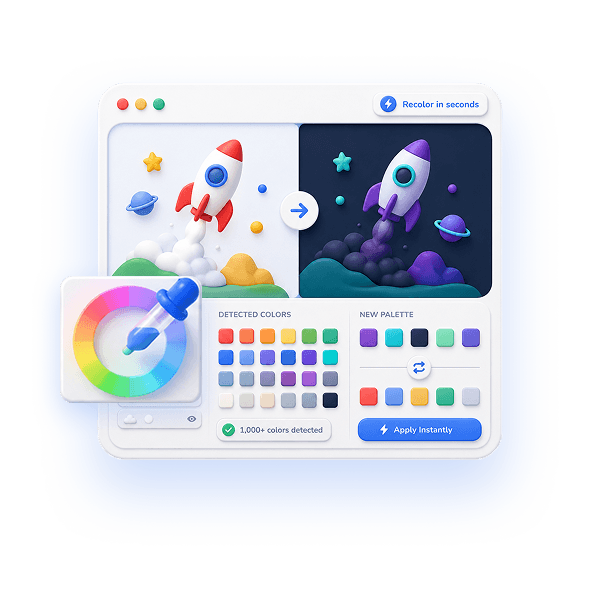
EasyLottie Color Swap parses your Lottie the moment you drop it in and surfaces every color it can find — fills, strokes, and gradients across all layers — as a clean, clickable palette. It routinely detects 1000+ distinct colors in a complex animation, so nothing hides from you.
Click any swatch, pick a replacement with the color picker or paste a hex code, and the preview repaints in real time. There's a 20-step undo if you change your mind, and because the whole tool is a static site, your file is processed entirely on your machine and never uploaded.
When the palette looks right, one click exports a clean Lottie back out — JSON in, JSON out, or ZIP in, ZIP out with every image asset preserved. The export plays unchanged in lottie-web, lottie-ios, lottie-android, Webflow, and Framer. The whole loop takes seconds, and it's 100% free with no signup.
Complete the task
Open Color Swap
Go to easylottie.com/colorswap. It loads in under a second — no account, no install, no extension.
Drop in your Lottie file
Drag a .json or .zip (up to 50 MB) onto the upload area. The animation renders live on the left while every detected color populates the palette on the right.
Find the color to change
Scan the auto-detected palette. Each swatch is a real color from your file — no guessing which hex maps to which layer.
Swap it with a live preview
Click a swatch, then choose a new color with the picker or type a hex value. The preview updates instantly. Repeat for as many colors as you like; use the 20-step undo to walk anything back.
Export the recolored file
Click export to download the result. JSON files come back as JSON; ZIP packages come back as ZIP with all original images intact, ready to ship.
Common use cases
Brand alignment
A downloaded animation arrives in generic blue. Detect every fill and stroke, swap them to your exact brand hex codes, and export a perfectly on-brand version in under a minute.
Dark mode variants
Recolor whites and light grays to dark equivalents to produce a dark-theme version of the same animation — no second source file, no designer round trip.
Quick QA fixes
Spotted one wrong color in a Lottie that's already in your repo? Drop it in, fix the single swatch, and re-export without ever opening After Effects.
Frequently asked questions
How does auto color detection work?
The tool walks your Lottie JSON structure and extracts every color used in shapes, fills, strokes, and gradient stops across all layers. It collects them into one palette so you never have to search the raw JSON by hand.
Does it work with ZIP packages?
Yes. Upload a ZIP containing the Lottie JSON plus image assets. Color Swap reads colors from the JSON, lets you change them, and re-bundles everything — including untouched images — into the exported ZIP.
Does it support gradients and opacity?
Yes. Solid colors, linear gradients, radial gradients, and opacity values are all detected and editable. Swapping a color leaves the gradient's geometry and animation timing intact.
Will swapping colors break the animation?
No. Only color values change. Keyframes, motion paths, timing, and layer structure are untouched, so the recolored file plays identically in every Lottie runtime.
Is it really free, and is my file private?
Completely free with no signup, no watermark, and no file limits beyond 50 MB per upload. Every operation runs locally in your browser — your file is never uploaded to any server.