A Lottie color editor for palettes, themes, and dark mode
Go beyond one-off swaps. Detect a Lottie's full palette, recolor it as a coherent theme, and export light and dark variants — all in your browser, all free.
The problem
Changing one color is easy; changing a palette is the hard part. A real animation has a handful of colors that work together — a primary, a couple of accents, some neutrals — and editing them in isolation tends to break the relationships that made the original look good.
Designers who want a dark-mode version, a seasonal theme, or a per-client variant usually end up maintaining separate source files for each. That multiplies the work every time the base animation changes, and keeping all the variants in sync becomes its own chore.
Doing this in After Effects means a designer with the source project, the right plugins, and time to re-export every theme by hand. For a developer who just wants two coherent palettes of the same animation, that's a heavyweight, expensive workflow for a lightweight problem.
The browser workflow
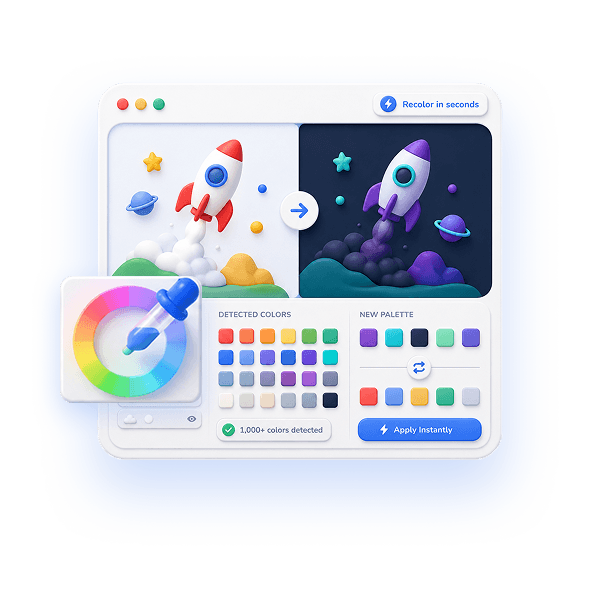
EasyLottie's color editor treats your animation as a palette, not a pile of disconnected hex values. The moment you upload, it auto-detects every color — often 1000+ in a dense file — and presents them together so you can see and edit the whole scheme at once.
You can recolor swatches one at a time or rework the entire palette toward a new theme, watching the live preview repaint as you go. Producing a dark-mode variant is a matter of mapping the lights to darks and the darks to lights; a seasonal or brand theme is just a different set of target hex codes. A 20-step undo means you can experiment freely.
When a theme looks right, export it as a standalone Lottie, then re-import the original and build the next variant. Each export is a clean file that plays in lottie-web, lottie-ios, lottie-android, Webflow, and Framer. It's free, needs no signup, and processes everything locally so client and unreleased work stays on your device.
Complete the task
Open the color editor
Head to easylottie.com/colorswap. No signup, no install — it's ready the moment the page loads.
Upload your base animation
Drag a .json or .zip (up to 50 MB) in. The full detected palette appears alongside a live preview so you can read the whole color scheme at a glance.
Plan your theme
Decide what each color should become — your brand primary, dark-mode neutrals, a seasonal accent. The palette view keeps the relationships between colors visible while you work.
Recolor and preview
Click swatches and assign new colors via the picker or hex input. The preview updates in real time, so you can judge the theme as a whole, not one swatch at a time. Undo up to 20 steps to refine.
Export each variant
Export the finished theme as its own Lottie. Reload the original to start the next variant — a light and a dark version of the same animation in a couple of minutes.
Common use cases
Light and dark theme pairs
Maintain one source animation and generate matching light and dark variants on demand, instead of juggling two separate After Effects projects that drift out of sync.
Brand palette systems
Map a stock animation's colors onto your full brand palette — primary, secondary, and accent — so the result feels designed for you rather than recolored ad hoc.
Seasonal and campaign themes
Spin up holiday, launch, or campaign-specific palettes of the same hero animation and A/B test which color story converts best.
Frequently asked questions
Can I edit colors without the After Effects source file?
Yes. You only need the exported .json or .zip. The editor reads colors directly from the Lottie file, so the original .aep project is never required.
How do I build a dark mode version?
Upload your light-mode animation, then map light colors (whites, pale grays) to dark equivalents and dark accents to lighter ones. The live preview shows the dark theme forming as you reassign each swatch.
Can I change many colors at once in a session?
Yes, and there's no color limit. Rework the entire palette before exporting, and lean on the 20-step undo to try alternatives without starting over.
Does editing colors degrade the animation?
No. Only color values are modified — keyframes, easing, timing, and layer structure stay exactly as authored, so quality and motion are preserved.
Is there a paid tier for the editor?
No. The color editor is fully free with no signup and no watermark. Everything runs locally in your browser, so your files are never uploaded.