Lottie Color Changer — Change Animation Colors Online
Upload a Lottie JSON or ZIP, detect colors automatically, replace them visually, preview the result, and export a recolored animation directly from your browser.
Color Editor Tool
Detect and change colors in Lottie animations with live preview
Choose or drop a Lottie file
Supports .json and .zip files
Tips
Supports JSON files and ZIP packages
Automatically handles image resources in ZIP files
Enter hex colors directly, such as #FF0000
Use the color picker for visual editing
Export after editing to save changes
Automatically handles image resources in ZIP files
Enter hex colors directly, such as #FF0000
Use the color picker for visual editing
Export after editing to save changes
Auto-detect colorsLive previewJSON / ZIP supportNo upload required
Recolor a Lottie animation without touching JSON by hand
Upload the animation, let EasyLottie detect editable colors, map old colors to new ones with live preview, then export the recolored file.
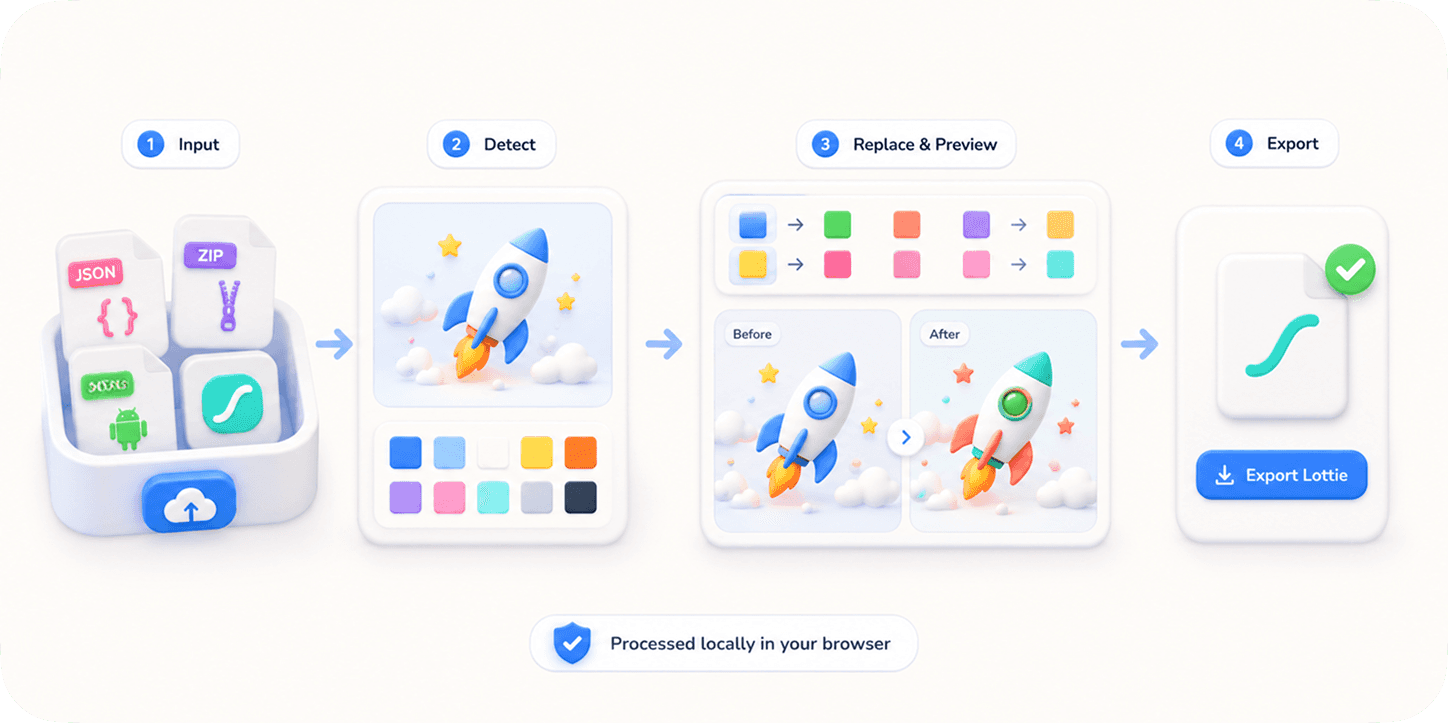
How it works
- 1
Upload animation
Drop a JSON or ZIP Lottie file into the editor.
- 2
Detect color values
EasyLottie scans fills, strokes, and gradient stops where supported.
- 3
Pick replacement colors
Use the picker or hex fields to map original colors to new values.
- 4
Preview changes
Watch the recolored animation update in the browser.
- 5
Export edited file
Download the recolored JSON or package for production use.
Why use this tool
Use Color Changer when you need a brand-matched, dark-mode, seasonal, or client-specific Lottie variant without recreating the animation.
Match brand colors across onboarding and loading animations
Create dark mode animation variants
Recolor marketplace Lottie files for product UI
Prepare seasonal campaign versions
Test alternate palettes before handing animations to developers
Frequently asked questions
Can I edit colors in a Lottie JSON?
Yes. EasyLottie detects color values in the JSON and lets you replace them visually.
Does it support gradients?
Yes. The tool detects common gradient stop values as well as solid fills and strokes.
Will image assets be recolored?
No. Raster image assets are not recolored by the color editor. Use Image Replace if you need to swap image content.
Are files uploaded to a server?
No. The file is read and edited locally in your browser.
Can I undo color changes?
Yes. The existing tool supports undo and reset controls so you can test color changes safely.
What formats are supported?
The tool supports Lottie JSON files and ZIP packages that include Lottie JSON plus referenced image assets.
Related tools
SVG Color Changer
Recolor an animated SVG (e.g. a Figma export) with live preview.
Open tool
Image Replace
Swap screenshots, logos, and embedded image assets.
Open tool
Lottie Preview
Play, inspect, and test Lottie files online.
Open tool
MP4 to Lottie
Convert video to Lottie with green screen removal.
Open tool