Recolor a Lottie animation to match your brand palette
Drop in a downloaded animation, detect every color, and reassign each one to your exact brand hex values — live preview, one-click export, entirely in your browser. No After Effects, no signup.
The problem
A great Lottie animation lands on your brand the moment its colors are wrong. The illustration arrives in some default palette — teal and orange when your brand is navy and coral — and an off-brand animation undermines an otherwise polished landing page, email, or product screen.
Marketing and brand teams rarely have After Effects open, and getting colors right usually means a back-and-forth with a designer: send the brand guide, wait for a recolor, review, request a tweak, wait again. Each cycle burns a day, and the moment your palette refreshes you start the whole loop over.
Even when someone does dig into the file, brand color matching is exacting. A Lottie stores color as normalized RGB arrays, not hex, and your accent might appear across dozens of fills, strokes, and gradient stops. Missing one leaves a stray off-brand pixel that a brand reviewer will absolutely catch.
The browser workflow
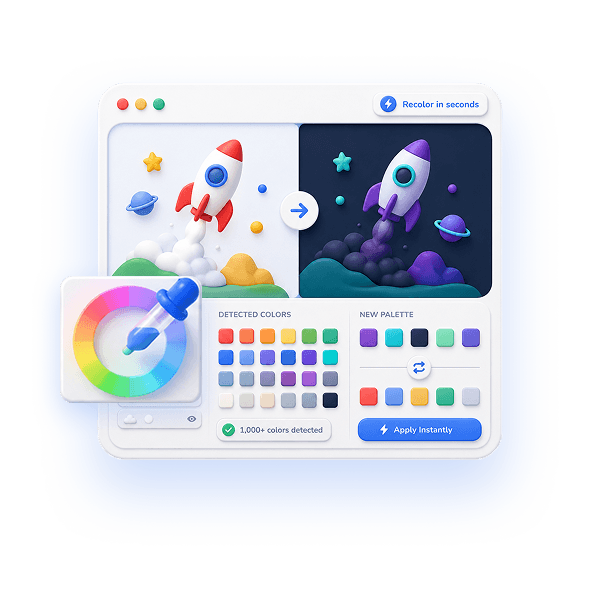
EasyLottie Color Swap auto-detects every color in the animation — up to 1000+ distinct values — and presents them as clickable swatches. You map each one to your brand color by entering the exact hex from your style guide, and the tool handles the conversion to Lottie's internal format for you.
Every swap renders in a live preview, so you can confirm your primary, secondary, and accent colors land precisely where they should before anything ships. With 20-step undo you can try alternate palette assignments without fear, and because it is 100% local your unreleased campaign assets never touch a server.
When the animation is fully on-brand, export with one click. The result is a standard Lottie file ready for your site, app, email platform, or ad — and the next time you produce a campaign animation, rebranding it is a two-minute job instead of a designer ticket.
Complete the task
Open Color Swap
Go to easylottie.com/colorswap. No signup, no install, no After Effects — trusted by 1,000+ developers and marketers.
Upload the animation
Drag the .json or .zip onto the upload area. The preview renders and every color in the file is detected and listed as a swatch.
Match swatches to your brand hex values
Click a detected color and enter the exact hex from your brand guide — primary, secondary, accent. The tool maps it into the Lottie file precisely.
Verify against your brand
Use the live preview to confirm each brand color sits where it should. 20-step undo lets you test alternative palette mappings instantly.
Export the on-brand file
Click Export to download a standard Lottie file ready for your landing page, app, email, or ad — fully aligned to your palette.
Common use cases
Campaign animations
Pull a polished animation from a public library and recolor it to your campaign palette so it looks commissioned, not borrowed.
Rebrands
When the brand palette changes, re-map every Lottie across your marketing site in minutes instead of reopening source files.
Agency client work
Deliver the same base animation in three different client palettes from one source file, no per-client designer round trip.
Frequently asked questions
Can I match a Lottie to exact brand hex codes?
Yes. Click any detected color and enter the precise hex from your brand guide. Color Swap converts it to Lottie's internal color format so the match is exact.
How many colors can it detect at once?
It detects every color in the animation — up to 1000+ distinct values across fills, strokes, and gradients — so even complex illustrations are fully covered.
Do I need design software or a designer?
No. The whole recolor happens in the browser. If you have your brand hex codes, you can match the animation yourself in a couple of minutes.
Are my unreleased campaign files private?
Completely. Color Swap is 100% local and browser-only — your animation and brand assets are never uploaded to any server.
Will the recolored file work everywhere Lottie plays?
Yes. Only color values change; the export is a valid Lottie JSON, so it runs in lottie-web, lottie-ios, lottie-android, Webflow, Framer, and email-compatible players.