Create a dark-mode version of any Lottie animation
Most Lottie files are authored for a light background. Recolor every layer for dark mode in your browser — detect the palette, swap to dark values, preview live, export. No After Effects, no signup.
The problem
You shipped a beautiful Lottie animation, then added a dark theme to your app — and now the animation looks broken. Dark line art vanishes on a dark background, white fills glare, and a cream backdrop baked into the file fights your dark surface. A light-mode Lottie does not automatically adapt.
The obvious fix is to ask the original designer to open the After Effects source, recolor every shape layer, and re-export a second file. That round trip costs hours or days, assumes the .aep still exists, and ties up a $22.99/month After Effects seat just to change a handful of hex values.
Editing the raw JSON by hand is fragile. Lottie stores colors as normalized RGB arrays scattered across nested shape groups, gradients, and effects. Finding and rewriting every one without breaking the animation is tedious and error-prone, especially across the hundreds of color stops a richer animation can contain.
The browser workflow
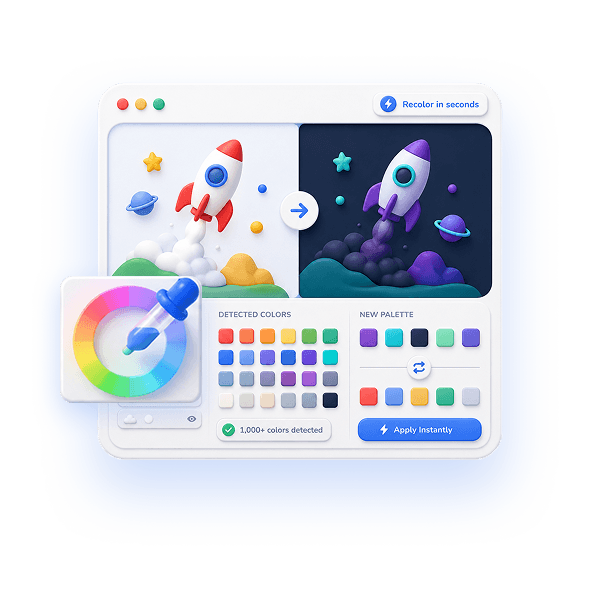
EasyLottie Color Swap reads your Lottie file and auto-detects every color in it — fills, strokes, gradients, and backgrounds — up to 1000+ distinct colors in a single animation. Each one becomes a swatch you can click and recolor, so building a dark variant is just reassigning the palette.
Replace the light background with your dark surface color, flip dark strokes to light, and tune accents for contrast — every change renders in a live preview against a dark canvas so you can judge legibility before you export. With 20-step undo you can experiment freely. Nothing is uploaded; the entire recolor happens locally in your browser.
When the dark variant looks right, export with one click. You get a standard Lottie file you can load conditionally alongside your light version, so your runtime swaps animations the same way it swaps the rest of your theme. A typical dark-mode conversion takes a couple of minutes.
Complete the task
Open Color Swap
Go to easylottie.com/colorswap. It loads instantly — no signup, no install, trusted by 1,000+ developers.
Upload your light-mode Lottie
Drag your .json or .zip onto the upload area. The preview renders immediately and every detected color appears as a clickable swatch.
Swap the background and base colors
Replace the light or cream background with your dark surface color first — the rest of the palette is easier to judge once the canvas is dark.
Recolor strokes and accents for contrast
Flip dark line work to light values and brighten muted accents so they stay legible on the dark background. Watch every change in the live preview.
Preview and export
Confirm the animation reads cleanly in dark mode, then click Export to download the dark variant. Use 20-step undo to roll back any color that looks off.
Common use cases
App dark theme support
Ship a second Lottie tuned for dark mode and load it whenever the user's theme is dark — no broken contrast on the dark surface.
OS-adaptive landing pages
Serve a light or dark animation based on prefers-color-scheme so your hero animation matches each visitor's system setting.
Design system parity
Bring a downloaded light-mode animation into line with the dark tokens already defined across the rest of your product.
Frequently asked questions
Can I make a dark-mode Lottie without After Effects?
Yes. Color Swap detects every color in the file and lets you reassign them in the browser, so you build a dark variant without opening After Effects or the .aep source.
Does it recolor gradients and backgrounds too?
Yes. The detector surfaces fills, strokes, gradient stops, and background colors — up to 1000+ in one animation — so you can dim or replace each of them for dark mode.
Will the dark-mode export still play in every Lottie runtime?
Yes. Only color values change; the export is a standard Lottie JSON with intact structure, so it plays in lottie-web, lottie-ios, lottie-android, Webflow, and Framer.
Can I keep both light and dark versions?
Yes. Export the recolored file as a separate Lottie and load it conditionally alongside your original, the same way you swap any other theme asset at runtime.
Is my file uploaded anywhere?
Never. Color Swap is 100% local — every color detection, swap, and export happens in your browser, and your file never leaves your machine.