Figma Animation to Lottie
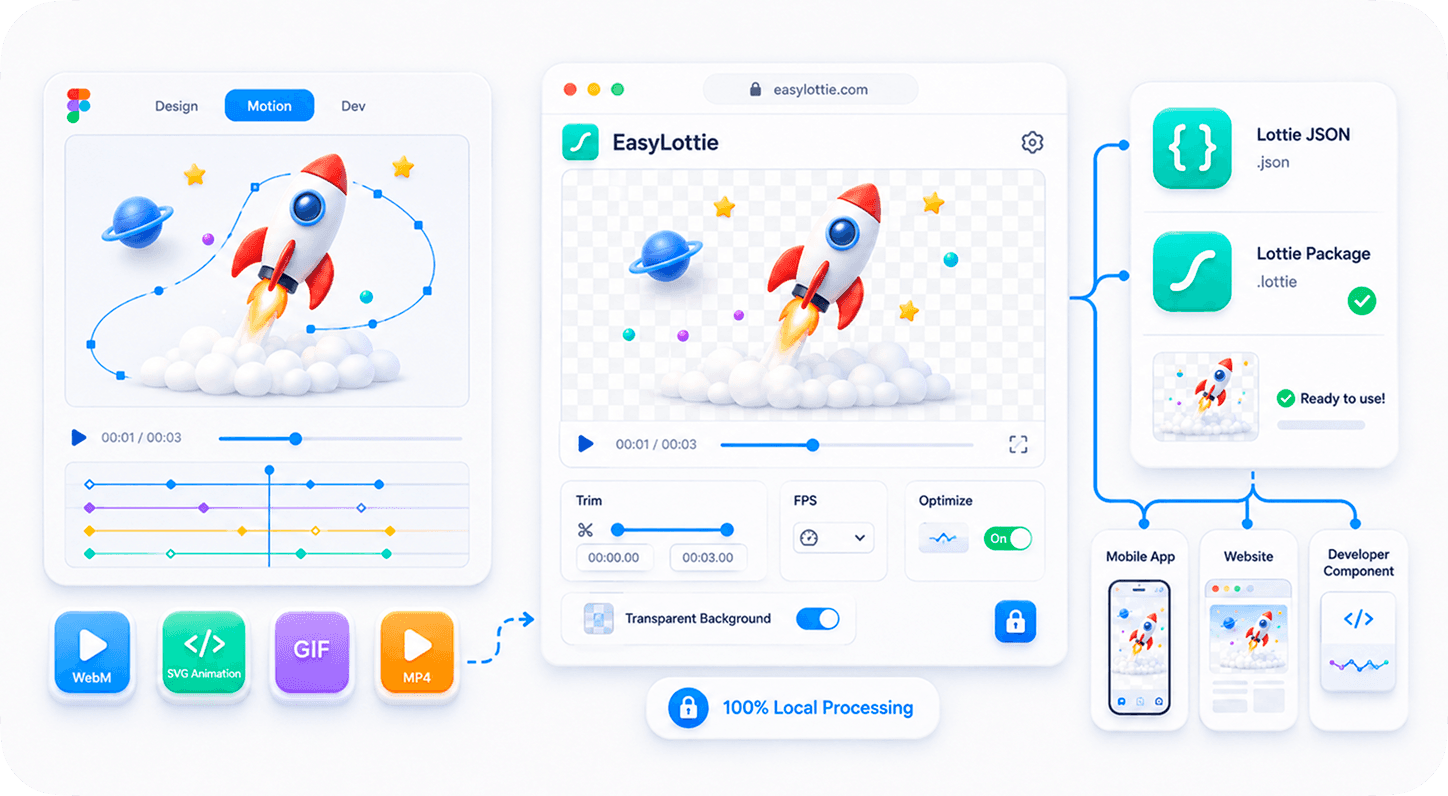
Designed a Figma animation (Figma Motion / Smart Animate)? Export it as SVG, WebM, or GIF and turn it into a Lottie your developers can actually ship — free, in your browser, vector when possible. Nothing is uploaded.
Why convert Figma animations to Lottie?
Figma can export motion as animated SVG, WebM, or GIF — but developers ship Lottie. EasyLottie converts CSS-keyframe SVGs to vector Lottie and captures SMIL SVG timelines locally as transparent frames; WebM and GIF use the same built-in conversion workflow.
How to convert a Figma animation to Lottie
- 1Export from FigmaExport your animation/prototype as an animated SVG (or WebM / GIF).
- 2Drop it inDrag the file into the tool above. Everything runs locally in your browser.
- 3Get a vector LottieAnimated SVGs are converted to a true vector Lottie, previewed live. WebM/GIF go to the Video → Lottie converter.
- 4Download & shipDownload the .json and drop it into your web/app project — no After Effects.
Just need to recolor your Figma SVG?
Change the colors of an animated Figma SVG export for free — detect every color, recolor with a live preview that keeps the animation, then download.
Open SVG Color ChangerFrequently asked questions
Can I convert a Figma animation to Lottie for free?
Yes. EasyLottie converts Figma animation exports (SVG/WebM/GIF) to Lottie for free, entirely in your browser, with no signup and nothing uploaded.
Does it produce a true vector Lottie from SVG?
Yes. An animated SVG (Figma’s CSS @keyframes export) is compiled to a true vector Lottie — small and resolution-independent — not a raster wrapper.
What about WebM or GIF exports?
WebM and GIF are raster video; convert them with our Video → Lottie converter, which handles MP4, MOV, WebM, GIF and image sequences.
Is my file uploaded?
No. All conversion runs locally in your browser — your design never leaves your machine.
Related tools
Guide: How to convert a Figma animation to Lottie (without After Effects) →