Customize downloaded Lottie animations without the source file
Take a free or licensed Lottie animation from a public resource library, swap the placeholder assets, fine-tune the result, and export a production-ready file.
The problem
Public Lottie libraries are perfect for speed: search, download, drop into a website. The problem appears five minutes later — the illustration, avatar, product screenshot, or logo is not yours.
Most downloads only include a .json or .zip. You rarely get the After Effects .aep source, and even when you do, opening it just to replace one image is overkill for developers, solo founders, and AI-assisted builders.
Manually editing the Lottie JSON is possible, but image assets may be embedded as base64, stored in a ZIP, or referenced with generic names like img_0.png. One wrong path or encoding change can break the animation.
The browser workflow
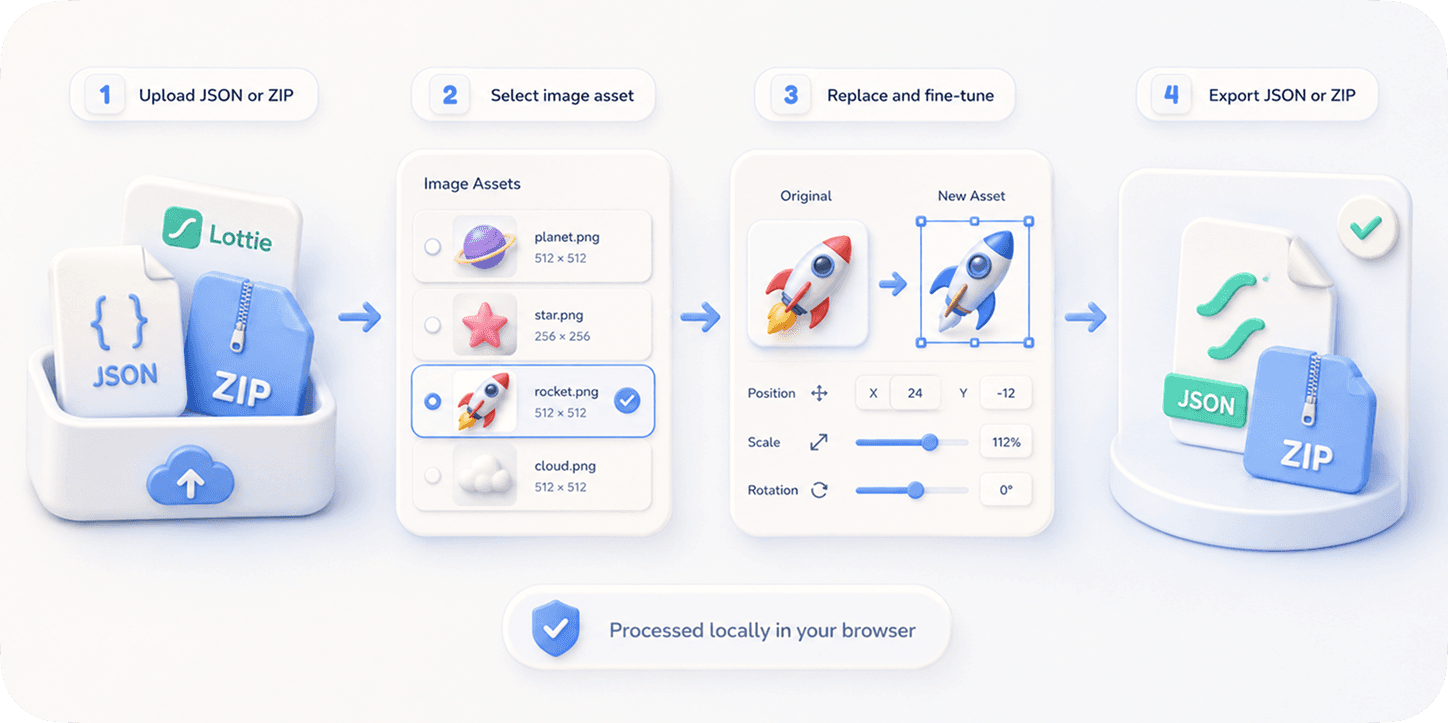
EasyLottie treats the downloaded file as an editable asset package. Upload the Lottie JSON or ZIP, and the Image Replace tool detects every embedded image resource automatically.
You can click a detected image layer, drop in your own replacement, preview it immediately, then adjust crop, scale, and position without touching After Effects.
The export keeps the Lottie runtime format intact, so the customized animation can go straight into React, Framer, Webflow, a landing page, an app onboarding screen, or any player that supports Lottie.
Complete the task
Download a Lottie animation
Start with a JSON or ZIP from LottieFiles, IconScout, MotionElements, or another public Lottie resource library.
Open Image Replace
Go to EasyLottie Image Replace. Everything runs locally in the browser, so licensed or client files stay on your machine.
Upload the downloaded file
Drop the JSON or ZIP into the tool. The preview renders and the resource panel lists detected image assets.
Replace the placeholder assets
Swap product screenshots, avatars, icons, background images, or logos with your own PNG / JPG / WebP files.
Fine-tune and export
Adjust placement when the replacement asset has a different aspect ratio, then export a ready-to-use edited Lottie package.
Common use cases
SaaS landing pages
Turn a generic downloaded hero animation into a product-specific animation by replacing screenshots and logos.
Client prototypes
Customize a public Lottie animation with a client brand asset without asking a motion designer to rebuild it.
No-design builder workflows
Use public animation libraries as a starting point, then personalize assets directly in the browser.
Frequently asked questions
Can I edit a LottieFiles download without the After Effects source?
Yes. If the downloaded file contains image assets, EasyLottie can detect and replace them from the JSON or ZIP package. You do not need the .aep file.
Does this work with free and paid Lottie templates?
Technically yes, as long as the file uses standard Lottie image assets. You should still follow the license terms of the marketplace or creator.
Can I replace vector shapes from a Lottie library?
Image Replace is designed for image assets such as PNG, JPG, WebP, logos, and screenshots. Vector path editing belongs in a motion design tool like After Effects.
Will the customized file still work in lottie-web?
Yes. The export keeps standard Lottie JSON and asset references, so it works in lottie-web, lottie-ios, lottie-android, Webflow, Framer, and similar players.
Are my downloaded template files uploaded to EasyLottie?
No. The site is browser-only. Your source file and replacement images are processed locally.
Ready to try it?
Free to use, no signup. Files are processed locally by default.