How to edit a downloaded Lottie animation
You downloaded a free Lottie — now you need it to be yours. Whatever the source, edit it in your browser: swap images, recolor, preview, export. No After Effects.
The problem
Downloading a Lottie is the easy part. LottieFiles, IconScout, free icon packs, GitHub gists, a Dribbble freebie — there are thousands of great animations a click away. The moment they land in your project, the same wall appears: the placeholder logo, the stock illustration, and the off-brand colors are not yours, and they have to change before you ship.
Almost every download is just the exported Lottie — a .json or a .zip — and not the After Effects .aep source. So the advice you find online (open the project, edit, re-export) is a dead end, because you never had the project file in the first place.
That leaves the bad options: pay or wait for the original creator to make a change, hand-edit a JSON full of base64 assets and raw color arrays and hope nothing breaks, or buy an After Effects license and learn it just to swap one image. For a free download, every one of those is out of proportion.
The browser workflow
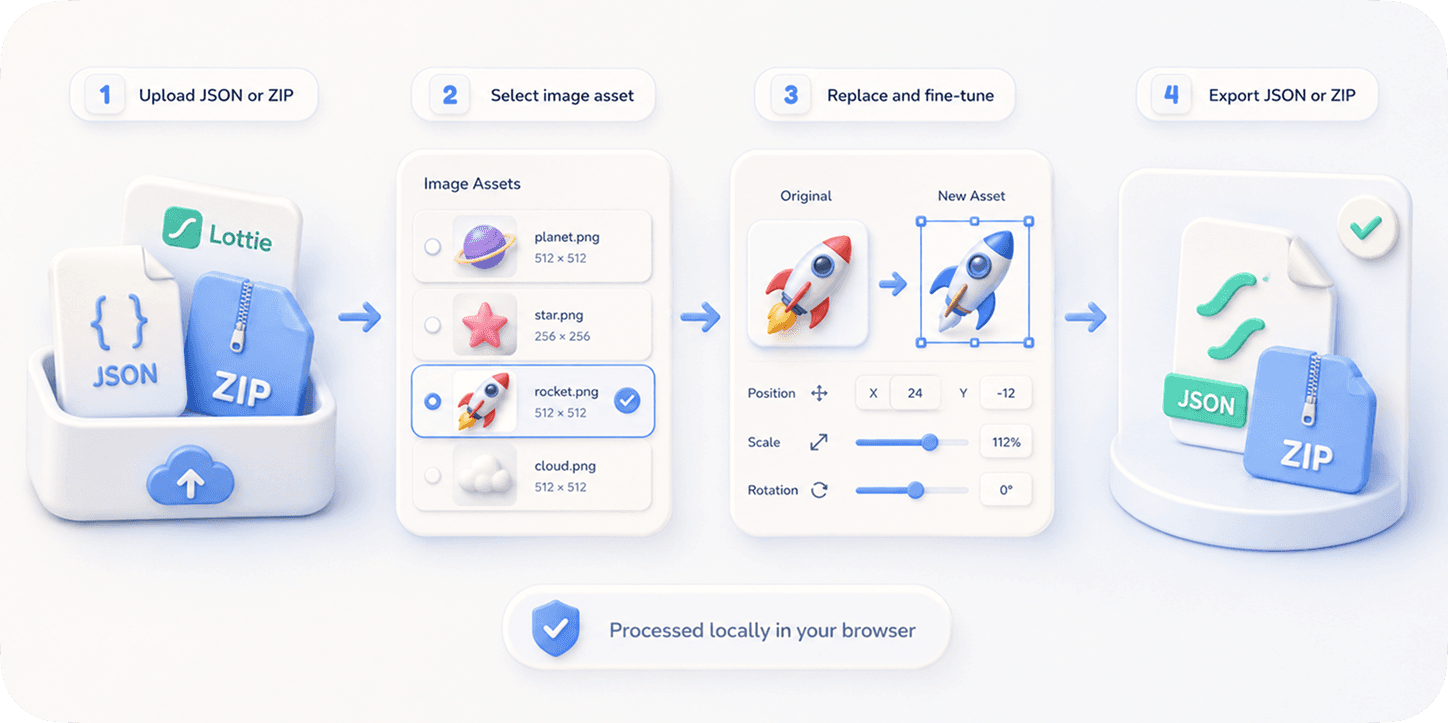
EasyLottie is purpose-built to edit a Lottie you already have, no matter where it came from. Drop the downloaded .json or .zip in and pick the tool for the job: Image Replace to swap any image asset, Color Swap to re-map the palette, Preview to check playback and speed before you commit.
It is the honest 80% case — the edits people actually need after a download. It does not author animations from scratch and does not pretend to replace After Effects; it handles assets, colors, and previewing, and it does them in seconds rather than days.
Everything is 100% free with no signup, and nothing is uploaded — files up to 50 MB are processed entirely in your browser, with a 20-step undo to back out any change. It is ZIP- and APK-aware, trusted by 1,000+ developers, and rated 4.9 stars from 200+ reviews. Export a clean file that plays in every Lottie runtime.
Complete the task
Open easylottie.com
Loads in under a second — no account, no install. Pick the editor you need: Image Replace, Color Swap, or Preview.
Drop in the downloaded file
JSON, ZIP, or APK, up to 50 MB. The preview renders instantly and the editable layers and assets populate automatically, whatever library the file came from.
Swap the placeholder images
In Image Replace, click any image asset in the preview or resource panel and drop in your own PNG / JPG / WebP. Fine-tune scale, position, and crop to match.
Recolor to your brand
In Color Swap, re-map each color in the animation to your own hex values, with a live preview and 20-step undo if you change your mind.
Preview and export
Use Preview to confirm playback and speed, then export a new file that works in lottie-web, lottie-ios, lottie-android, Webflow, Framer, and React.
Common use cases
Free pack to production
Take a free animation from any pack and make it shippable by swapping its placeholder graphics and recoloring it to your design system.
Source-agnostic editing
It does not matter whether the file came from LottieFiles, IconScout, GitHub, or a Dribbble freebie — if it is a standard Lottie, EasyLottie can edit it.
Quick developer tweaks
When a ticket says "can you fix the logo and colors in this downloaded Lottie?", do it in the browser in minutes instead of routing it to a designer.
Frequently asked questions
Can I edit any downloaded Lottie, regardless of where it came from?
Yes, as long as it is a standard Lottie .json or .zip (or an .apk). The source library does not matter — EasyLottie reads the file, not the marketplace it came from.
I do not have the After Effects source. Is that a problem?
No. EasyLottie works entirely from the exported file. Swapping image assets and recoloring never requires the .aep source.
What can I actually edit — and what can't I?
You can replace image assets, recolor the palette, and adjust preview speed. You cannot author new motion, redraw vector shapes, or edit live text layers — that is After Effects territory.
Is it really free, and is anything uploaded?
Completely free, no signup, no watermark. Everything runs locally in your browser — your downloaded file and your replacement assets never leave your device.
Will the edited file still play everywhere the original did?
Yes. The export keeps standard Lottie JSON and asset references, so it plays in lottie-web, lottie-ios, lottie-android, Webflow, Framer, and React wrappers.