Edit a Lottie animation for your Android app
Lottie for Android plays the file — dynamic properties only reach colors you target by KeyPath. Recolor layers and replace images in the browser, then drop the file into res/raw. No After Effects.
The problem
You added the Airbnb Lottie dependency, put your file in res/raw, and LottieAnimation(composition) (Compose) or a LottieAnimationView (XML) renders it smoothly. But the colors don't match your Material theme, and the file ships with a placeholder asset.
Lottie supports dynamic properties via KeyPath and LottieProperty.COLOR, but you have to know each layer's keypath, wire a callback per color, and redo it whenever the animation is re-exported — and none of that helps you replace an embedded image. It's a lot of code for a purely visual change.
Sending the file back to a designer and through After Effects to align it with your brand breaks your build and review loop. You want the animation to live in res/raw like any other resource: correct, referenced once, and rendered without per-keypath color callbacks.
The browser workflow
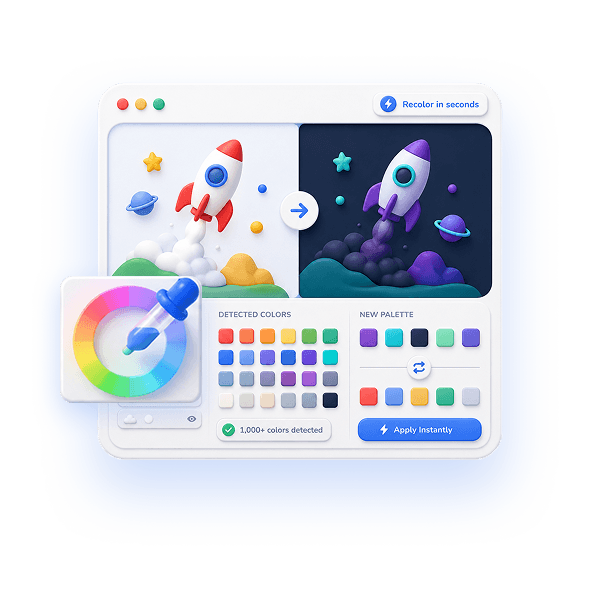
EasyLottie bakes the changes into the file before it reaches res/raw. Color Swap auto-detects every color across fills, strokes, and gradients and lets you remap each to your Material theme's exact hex values, with a live preview of every edit.
Need to replace a logo or illustration? Image Replace detects embedded image assets in .json or .zip files and lets you drop in your own, fine-tuning scale and position. Both tools run 100% in the browser — no upload, and no KeyPath color callbacks to maintain.
Export a standard Lottie, drop it in res/raw, and load it with rememberLottieComposition (Compose) or setAnimation (XML). Because the colors and assets are already correct, your code stays clean with no dynamic-property wiring.
Complete the task
Download the animation
Get the .json or .zip you intend to render with Lottie for Android, from a library or a handoff.
Open the right EasyLottie tool
Use Color Swap at easylottie.com/colorswap to match your theme, or Image Replace to swap logos and illustrations — both run in the browser.
Recolor to your Material palette
Click each detected color and enter the hex from your theme. The live preview confirms the animation matches your Material design.
Export the file
Click Export to download a standard Lottie JSON or ZIP with valid asset references, ready for Lottie on Android (Compose or XML).
Add it to Android
Drop the file into res/raw and load it with rememberLottieComposition or setAnimation — no KeyPath color callbacks required.
Common use cases
Material-matched UI states
Recolor loading and success animations to your primary and secondary colors so they feel native in your Material app.
Light and dark themes
Produce a dark-mode version of the same Lottie and load the source based on the system night mode.
Flavored builds
Generate per-flavor color variants of one base animation for white-label Android builds without reopening any source.
Frequently asked questions
Can I recolor a Lottie without KeyPath dynamic properties?
Yes. Color Swap reassigns every detected color in the file itself, so the animation arrives already matching your theme and you skip the per-KeyPath LottieProperty.COLOR wiring.
Does the exported file work with Lottie for Android?
Yes. The export is standard Lottie JSON with intact structure, which Lottie for Android renders in Compose or XML the same as any compatible file.
Can I swap an embedded image in an Android animation?
Yes. Image Replace detects embedded image assets in JSON or ZIP files and lets you replace them, then export a file you can drop straight into res/raw.
Is my file uploaded during editing?
No. Both tools are 100% local and browser-only — your animation and assets never leave your machine.
Will recoloring break playback?
No. Only color values change; frames, timing, and structure are untouched, so the Android renderer plays it exactly as before.