Edit a Lottie animation for your React Native app
lottie-react-native plays the file — its colorFilters prop only reaches named keypaths, not the whole palette. Recolor layers and replace images in the browser, then bundle the file. No After Effects.
The problem
You added lottie-react-native (or the Expo module), pointed <LottieView source={require('./anim.json')} autoPlay loop /> at your file, and it animates natively on iOS and Android. But the colors don't match your app theme, and the file ships with a placeholder asset.
The colorFilters prop can override colors, but only for layers you can name by keypath — finding every keypath for a busy animation is tedious, the mapping has to be redone whenever the file changes, and it doesn't help at all with replacing an embedded image.
Round-tripping the file through a designer and After Effects to match your brand breaks your build loop and your release cadence. You want the animation to be a plain require() asset: correct, bundled by Metro, and rendered without per-keypath color props.
The browser workflow
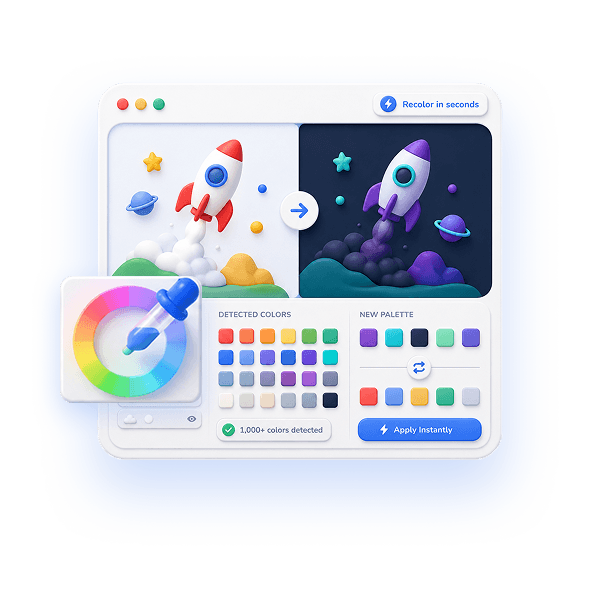
EasyLottie bakes the changes into the file before Metro bundles it. Color Swap auto-detects every color across fills, strokes, and gradients and lets you reassign each to your exact theme hex values, with a live preview of every edit.
Need to replace a logo or illustration? Image Replace detects embedded image assets in .json or .zip files and lets you drop in your own, fine-tuning scale and position. Both tools run 100% in the browser — no upload, and no colorFilters keypath mapping to maintain.
Export a standard Lottie, require() it from your component, and pass it to <LottieView>. Because the colors and assets are already correct, your component stays a clean one-liner that renders identically on both platforms.
Complete the task
Download the animation
Get the .json or .zip you intend to render with lottie-react-native or Expo, from a library or a handoff.
Open the right EasyLottie tool
Use Color Swap at easylottie.com/colorswap to match your theme, or Image Replace to swap logos and illustrations — both run in the browser.
Recolor to your theme
Click each detected color and enter the hex from your design system. The live preview confirms the animation matches your app brand.
Export the file
Click Export to download a standard Lottie JSON or ZIP with valid asset references, ready for lottie-react-native on iOS and Android.
Bundle it into React Native
Drop the file in, require() it, and render <LottieView source={require('./anim.json')} /> — no colorFilters keypaths required.
Common use cases
Theme-matched onboarding
Recolor an onboarding flow's animations to your primary and accent colors so they feel native on both platforms.
Light and dark variants
Produce a dark-mode version of the same Lottie and pick the source based on Appearance / useColorScheme.
White-label apps
Generate per-client color variants of one base animation for flavored React Native builds without reopening any source.
Frequently asked questions
Can I recolor a Lottie without colorFilters keypaths?
Yes. Color Swap reassigns every detected color in the file itself, so the animation arrives already matching your theme and your <LottieView> needs no colorFilters prop.
Does the exported file work with lottie-react-native and Expo?
Yes. The export is standard Lottie JSON with intact structure, which lottie-react-native renders natively on iOS and Android the same as any compatible file.
Can I swap an embedded image in a React Native animation?
Yes. Image Replace detects embedded image assets in JSON or ZIP files and lets you replace them, then export a file you can require() straight into your component.
Is my file uploaded during editing?
No. Both tools are 100% local and browser-only — your animation and assets never leave your machine.
Will recoloring break native playback?
No. Only color values change; frames, timing, and structure are untouched, so playback on the native iOS and Android renderers behaves exactly as before.