Edit a Lottie animation for your React app
lottie-react and lottie-web render the file — they do not let you change what is inside it. Swap images and recolor your Lottie in the browser, then import a clean, on-brand file. No After Effects.
The problem
You found the right animation, ran npm install lottie-react, and dropped a <Lottie animationData={data} /> into your component. It plays perfectly — and still shows the placeholder logo and stock screenshot the file shipped with. The runtime renders the JSON faithfully; it does not edit it.
You can patch colors at runtime by walking animationData and rewriting the c.k arrays, but that is brittle glue code: you are hand-mapping normalized RGB values, guessing at nested shape paths, and re-running it on every file update. And lottie-web has no API at all for swapping an embedded base64 image asset.
The alternative — bouncing the file back to a designer to re-export from After Effects — breaks your iteration loop. You want to treat the animation like any other asset in the repo: open it, fix it, commit the corrected file, and move on.
The browser workflow
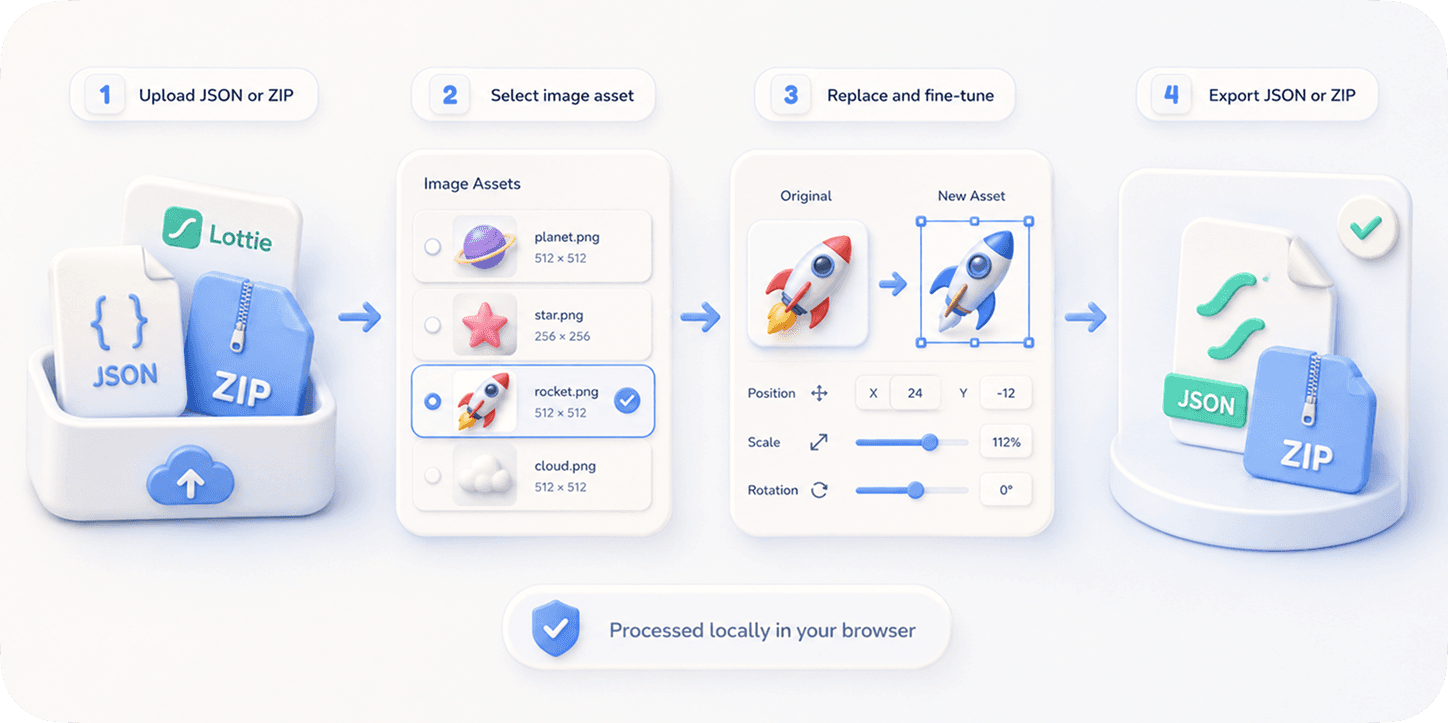
EasyLottie handles the edit before the file ever reaches your bundle. Image Replace detects every embedded image asset — inline base64 in a .json or external files in a .zip — and lets you drop in your own PNG, JPG, or WebP, then fine-tune scale, position, and crop in a live preview.
Need color changes too? Color Swap detects up to 1000+ colors in the same file and lets you reassign each to your brand or theme hex values. Both tools run 100% locally in your browser — no upload, no signup, and no runtime-patching code to maintain in your React app.
Export a clean Lottie file or ZIP, drop it into your project, and pass it straight to lottie-react or the useLottie hook. Because the asset is already correct, your component code stays simple: just import and render, with no color-rewriting effects to babysit.
Complete the task
Grab the animation file
Download the .json or .zip you plan to render with lottie-react or lottie-web — from a library or a designer handoff.
Open the right EasyLottie tool
Use Image Replace at easylottie.com/imagereplace for logos and screenshots, or Color Swap for palette changes. Everything runs in the browser.
Upload and edit
Drop the file in. Swap embedded images or recolor detected layers — the live preview shows exactly what will ship.
Export the corrected file
Download the edited JSON or ZIP. It is a standard Lottie file with valid asset references, ready for any Lottie runtime.
Import into React
Drop the file into your project and render it with <Lottie animationData={data} /> or the useLottie hook — no runtime patching needed.
Common use cases
Component libraries
Ship reusable animated empty-states and loaders in your design system with the colors already matched to your tokens.
Next.js marketing pages
Personalize a downloaded hero animation with your real product screenshot before importing it into a server component or client island.
Theme-aware UI
Recolor a Lottie to your light and dark palettes so you can conditionally load the right variant alongside your theme switch.
Frequently asked questions
Why not just patch animationData in React at runtime?
You can, but rewriting nested c.k color arrays is brittle and lottie-web cannot swap embedded image assets at all. Editing the file once with EasyLottie keeps your component code clean.
Does the exported file work with lottie-react and dotLottie players?
Yes. The export is standard Lottie JSON, so it works with lottie-react, lottie-web, and dotLottie players wherever the underlying Lottie format is supported.
Can I edit both colors and images for one file?
Yes. Use Color Swap for the palette and Image Replace for embedded assets on the same file before exporting the final version for your app.
Will my file or replacement images be uploaded?
No. Both tools are 100% local and browser-only. Your animation and assets never leave your machine, which matters for unreleased product UI.
Does it handle .lottie / dotLottie files?
EasyLottie works with standard Lottie .json and .zip packages up to 50 MB. Unpack a dotLottie to its JSON if you need to edit the underlying animation, then re-pack for your player.