Put your video Lottie on a website
A working HTML example, using an actual EasyLottie export. Download it, then swap in your own animation.
The exported animation, running here
This player loads the exported JSON and image files with lottie-web. It is a raster image sequence, not editable vector artwork. Load the example, then press Play to inspect the motion.
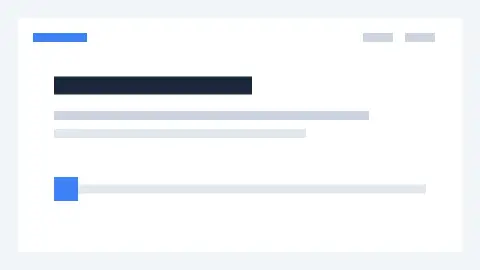
Original UI sample: 4 seconds. The standalone demo contains no analytics. Download source MP4 or download converter output.
Keep the images beside the JSON folder
Unzip the starter. It already includes the player and sample frames. Run the command below from that folder, then open http://localhost:8000. Opening the HTML directly with a file URL can block the JSON request.
python3 -m http.server 8000You can also serve the folder with any static HTTP server. Publishing it makes those animation files accessible to visitors.
video-lottie/
  index.html
  vendor/
    lottie.min.js
    LICENSE-lottie-web.md
  animations/
    main.json
  images/
    frame_000.webp
    frame_001.webp
    …
The essential player configuration
path loads the animation JSON. assetsPath points to the extracted images and ends with a slash. This explicit setting avoids looking for images inside animations/images/.
<div id="animation" style="width:100%;max-width:480px;aspect-ratio:16/9"></div>
<script src="./vendor/lottie.min.js"></script>
<script>
  const animation = lottie.loadAnimation({
    container: document.getElementById('animation'),
    renderer: 'svg',
    loop: true,
    autoplay: false,
    path: './animations/main.json',
    assetsPath: './images/'
  });
  // Call animation.play() from a Play button.
  // Call animation.destroy() when removing this component.
</script>
The downloadable example uses lottie-web 5.13.0 with its MIT license included. See the official lottie-web documentation for playback methods and lifecycle controls.
Replace the sample with your export
- Convert your clip, choose Lottie ZIP, and check its preview before downloading.
- Replace the starter’s
animations/andimages/folders with the two folders from your export. Keep matching files together. - Update the container’s aspect ratio to match your output. Keep
assetsPathcorrect if you move the files. - Test the published page in your audience’s browsers. In React, initialize the player on mount and call
destroy()in effect cleanup.
If the player is blank
- JSON loads, but images return 404
- Check the image folder, filename capitalization, and trailing slash in assetsPath. Uploading only main.json is insufficient for this export.
- Works locally, fails after publishing
- Inspect the browser’s Network panel. Confirm the host serves JSON and WebP, and that any cross-origin requests are allowed.
- File size or memory use is too high
- Reduce duration, dimensions, or frame rate. Raster Lottie is not guaranteed to be smaller than video or GIF. Compare the actual export sizes.
Method: this example uses the same UI source and Lottie ZIP published in our format comparison. It demonstrates a web SVG renderer; it does not establish native iOS, Android, or every site builder’s compatibility. Maintained by EasyLottie, September 9, 2026.
Compare real Lottie, GIF, and WebM exports