Compress Lottie JSON Files Online
Choose a file to analyze its size, safely remove unused or duplicate assets, compare playback, and download a verified result. Files used in other tools are never compressed automatically.
Drop a Lottie JSON file here
Accepts .json up to 20 MB. Processing stays in your browser.
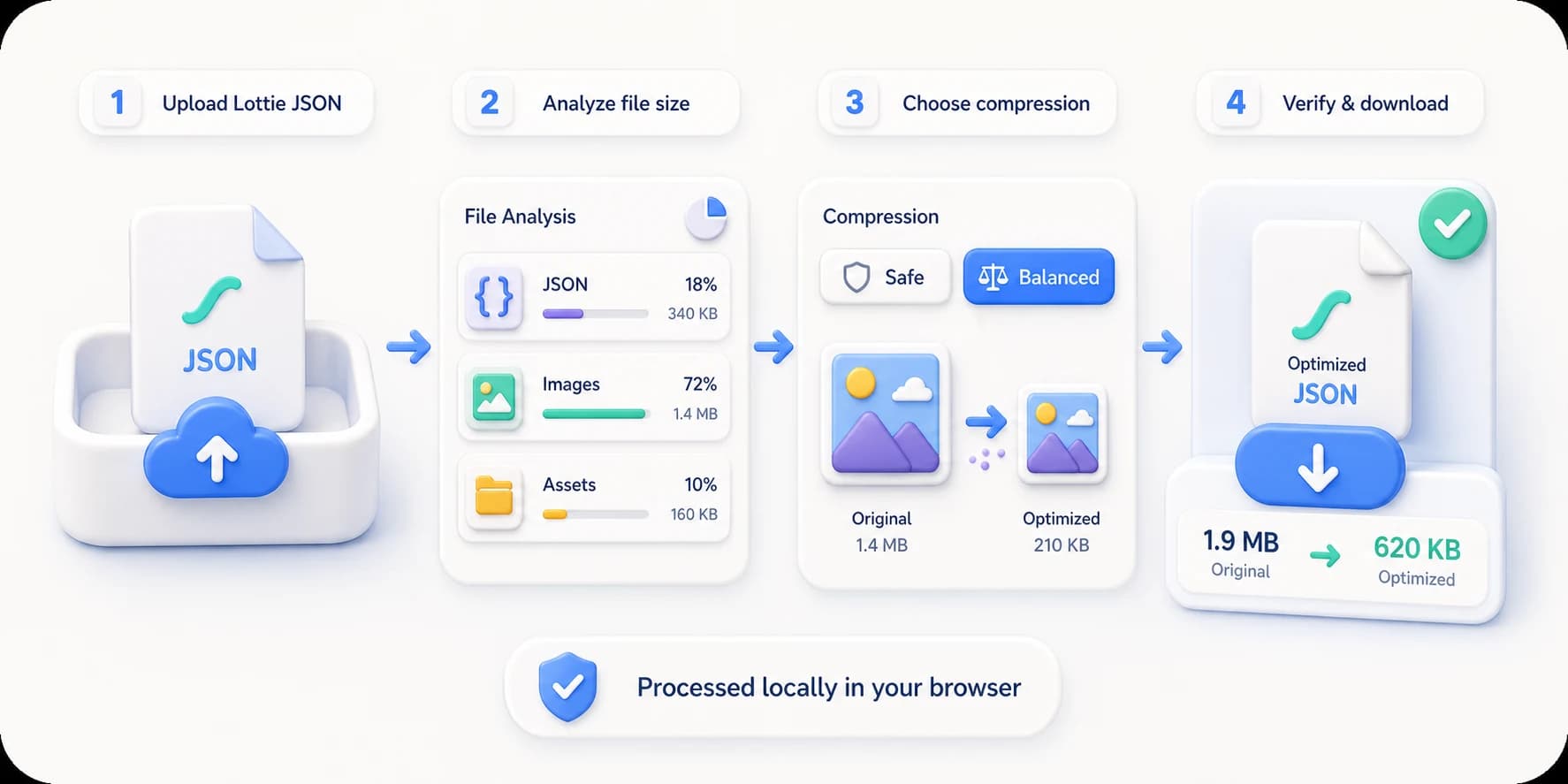
Compress in four steps
See what takes space, then choose the right compression level
Safe mode cleans JSON and duplicate assets first. Balanced mode also optimizes embedded images. Results are verified locally while your original stays untouched.
Lottie compression FAQ
How much smaller can a Lottie file become?
It depends on what is inside. An already-minified vector-only JSON may barely change, while formatted JSON or animations with large embedded images can shrink substantially. The tool analyzes the file first and reports the measured result.
What is the difference between Safe and Balanced compression?
Safe minifies JSON and removes only assets proven unused or byte-identical. Balanced also re-encodes embedded PNG, JPEG, or WebP images at 82% quality and keeps the new image only when it is smaller.
Can compression break my Lottie animation?
Every result is checked for required composition fields and asset references, then rendered again with the Lottie player before download. Your original is never overwritten and remains available.
Is my Lottie file uploaded?
No. Analysis, image re-encoding, preview, validation, and export all run in your current browser.