Edit Lottie in 3 seconds.
Without After Effects.
Swap images, recolor every layer, fine-tune speed — all from your browser. Trusted by 1,000+ developers and designers.
Try it now — no signup
Drop a Lottie to preview it instantly, then jump into any editor.
Drop a Lottie file to preview
.json, .zip, or .lottie — nothing is uploaded
Image Replace, reimagined.
Pixel-perfect image swapping inside any Lottie file — with crop, position fine-tuning, scale, and ZIP export. Built for designers, by designers.
One-click swap
Click any image layer, drop in a new asset, see it live. No re-export from AE.

Precise fine-tune
Non-destructive offset, scale, and crop controls — applied directly to the Lottie layer.
ZIP-aware export
Edited JSON + all original/replaced assets bundled into a ready-to-ship ZIP.
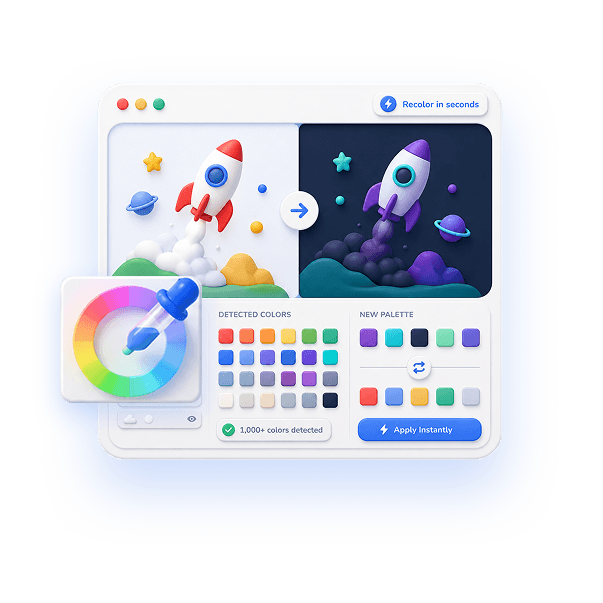
Recolor in seconds
Auto-detect every color in a Lottie and swap any of them with a live preview — perfect for brand matching and dark mode.
- Detects 1,000+ colors
- Live preview as you edit
- JSON & ZIP, one-click export
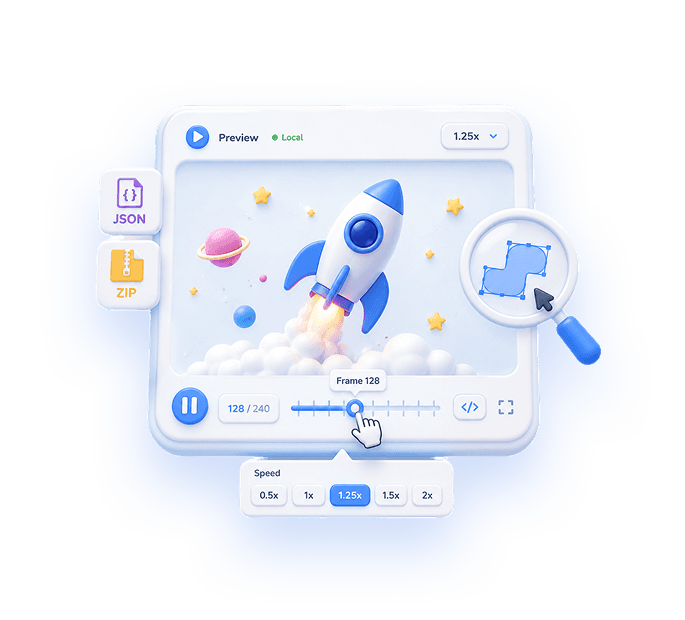
Preview & inspect
Play, pause, scrub frame by frame, and adjust speed for any Lottie — JSON, ZIP, or APK — with assets resolved automatically.
- JSON / ZIP / APK supported
- Scrub & re-speed playback
- No signup, nothing uploaded

Turn AI video into transparent web assets
Convert short MP4, MOV, GIF, or image-sequence clips — usually green-screen from your favourite AI tool — into Lottie ZIP, transparent GIF, WebM, or PNG frames in the browser.
- WebGL Keylight-style chroma key with despill and choke
- Trim, crop, pick fps and size — fully tunable
- 100% local · no signup · nothing uploaded
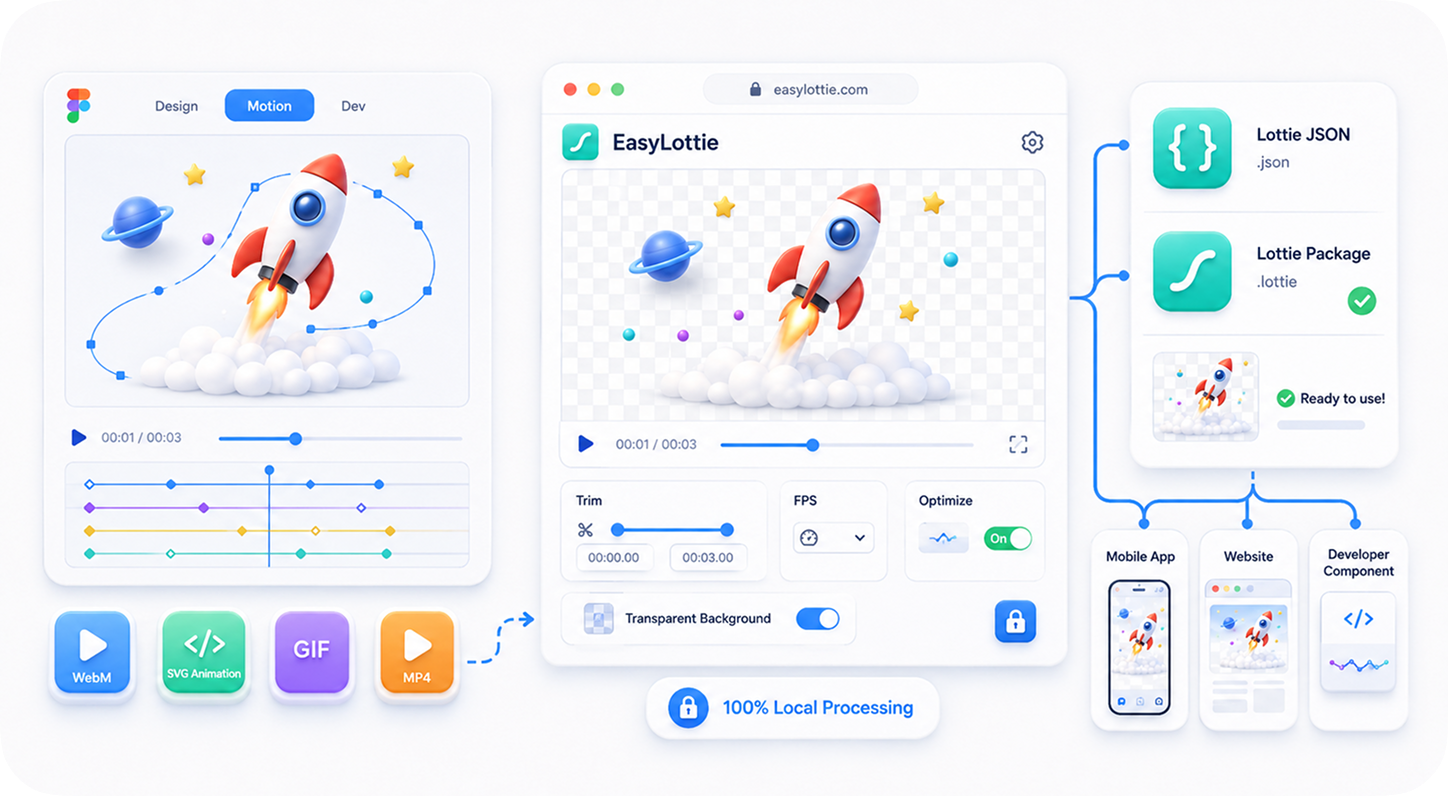
Turn Figma animations into Lottie
Designed motion in Figma? Export it as SVG, WebM, or GIF and convert it to a Lottie your developers can ship — animated SVG becomes a true vector Lottie, right in your browser.
- Animated SVG → true vector Lottie (small, scalable)
- WebM, GIF and image sequences supported too
- 100% local · no signup · nothing uploaded
All your Lottie tools.
Pick one. They all run 100% in your browser.
Image Replace
★ POPULARSwap raster assets inside any Lottie animation with pixel-precise fine-tune.
Color Changer
Detect every color in the file. Replace them with live preview. One-click export.
SVG Color Changer
Detect and recolor every color in an SVG — animated Figma exports keep their motion.
Preview
Play, pause, scrub & inspect Lottie JSON, ZIP, and APK files instantly.
Lottie to GIF
Convert a Lottie animation to an animated GIF — in your browser, no upload.
MP4 to Lottie
NEWConvert MP4, MOV, GIF, or image sequences to Lottie ZIP, transparent GIF, WebM, or PNG frames.
Lottie guides
Practical workflows for previewing, editing, and exporting Lottie files.
How to Preview a Lottie JSON File Online
Check playback, backgrounds, dimensions, and missing assets before editing or shipping.
How to Change Colors in a Lottie Animation Online
Recolor fills, strokes, and gradients with live preview and browser-local export.
How to Replace Images in a Lottie Animation
Swap logos, screenshots, avatars, and packaged image assets without After Effects.
Why EasyLottie?
Privacy by design
Files never leave your device. Every transform runs in-browser via WebAssembly-fast Lottie engine.
Speed obsessed
Instant load. No upload, no queue, no waiting. Edit, preview, export in seconds.
Designed for designers
Pixel-precise controls. Familiar shortcuts (Cmd+Z). 20-step undo. Real color picker.
Always free
No paywall. No watermark. No signup. Built and maintained as a love letter to the Lottie community.
Frequently asked questions
Is EasyLottie really free?
Yes. 100% free with no signup. All processing happens locally in your browser — no files ever leave your device.
Do I need After Effects?
No. EasyLottie works directly with Lottie JSON / ZIP / APK files. You don't need any desktop software.
What file formats are supported?
JSON (standard Lottie), ZIP (Lottie + embedded images), and APK (Android animation packages).
Will my files be uploaded anywhere?
Never. EasyLottie is a static site — every operation runs entirely in your browser. Your files stay yours.
How big a file can I edit?
Up to 50 MB per file. We detect and process 1,000+ colors. Undo supports 20 steps.
Stop fighting After Effects.
Edit Lottie in your browser.
Free forever. No signup. Drag, drop, edit, export.